
Register For Camps & Get a Free Trial Month
- Sign your kid up for 5 days of action-packed Parkour & Ninja Racing. Purchase comes with a FREE Trial Month of Classes so that you can continue to learn skills for another 30 days afterwards!
To book classes you’ll need to make sure you have a username and password in the mindbody online site and system. This is done when the account is made and the waiver is signed.
If you have multiple kids, you can use the same email, but you need to have different passwords for the accounts.
We like to suggest having a similar base or foundation, with a letter difference at the end to differentiate between the kids.
For example:
Bobby Rupert: Username@Username.com Password: StrongP@$$Word27BR
Jacob Rupert: Username@Username.com Password: StrongP@$$Word27JR
Both accounts have nearly the same password, with a difference of the child’s initials at the end
so you can add them in when you want to log in as the corresponding child.
If you have any issues, our team can help get it set up or fixed so you can log in.
The best way to book classes is by going to our website, breathepk.com and clicking on “Register for class” The button can be found in the top right normally if you are on a computer, or under the 3 line menu if you are on a phone
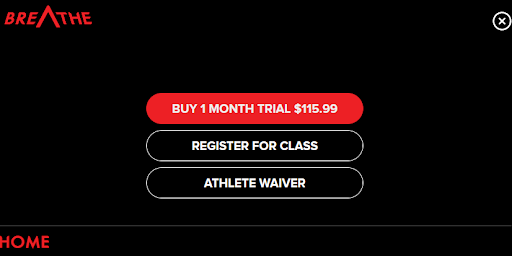


It will register for the last account you logged in as, so if you have multiple kids, you’ll log in as one, register for the class, log out, log in as the next child, and then register for class again!
Lastly, you’ll be able to register for classes for as long as you have an active or available pass. For example: if you have a Lite Membership with us and the payment came out on January 17th, you’ll be able to book up to a class each week between January 17th and February 17th, until the next payment and active month, and so forth.
If you want to be booked ongoing for a specific time and day that works for your schedule, don’t hesitate to reach out to any staff member available via email, phone, or in person.


.png)
.png)